Making “Later” Actually Happen
A mobile app designed to help people escape their endless saved lists by making saved content easier to revisit, complete, and clear.
What I noticed
I have 340 saved posts on Instagram. I’ve gone back to maybe ten.
That number bothered me for a while before I did anything about it. It’s not that the posts were bad. I saved them because I wanted them. Recipes I meant to cook, films I meant to watch, one post full of AI tools that I still think about and still haven’t opened.
Eventually it clicked. Saving takes a second. Coming back takes a decision. Nobody had built anything for the second part.
What I had to solve
Get someone back to what they saved, at the right moment, without turning into one more app that nags them.
There’s a way to fail on each side. Push too hard and you get streaks and red dots and an app people delete in week two. Do too little and you’re just another place to lose links.
What I did
First I downloaded everything in the category. Sprink, Sorti, Stasht, a few others. They’re good apps and they’re all doing the same thing. You share a post, AI files it into the right folder, and later you search for it. Faster saving, smarter sorting, better search. All of it is about finding. None of it is about going back.
So I built around the reason instead. When you save something you know exactly why, and a week later you have no idea. Latero asks for that reason and hands it back to you at the right moment. The notification doesn’t say “you saved a link.” It says “watch Friday night with the kids.” That’s a message from you, to you, from someone who knew what they wanted. Much harder to swipe away.
Then I put the question in the wrong place.
My first version asked for the reason at the moment you save. It made sense to me, since it’s the best idea in the product, so put it up front. But you’re on Instagram, half paying attention, next reel already playing. Asking someone to type a sentence there is asking for effort at the exact moment they have none.
So I moved it. Saving is one tap now and nothing else. The app asks why later, when it reminds you and you’re actually there to answer. That one change rewrote the home screen, the save sheet and the notification.
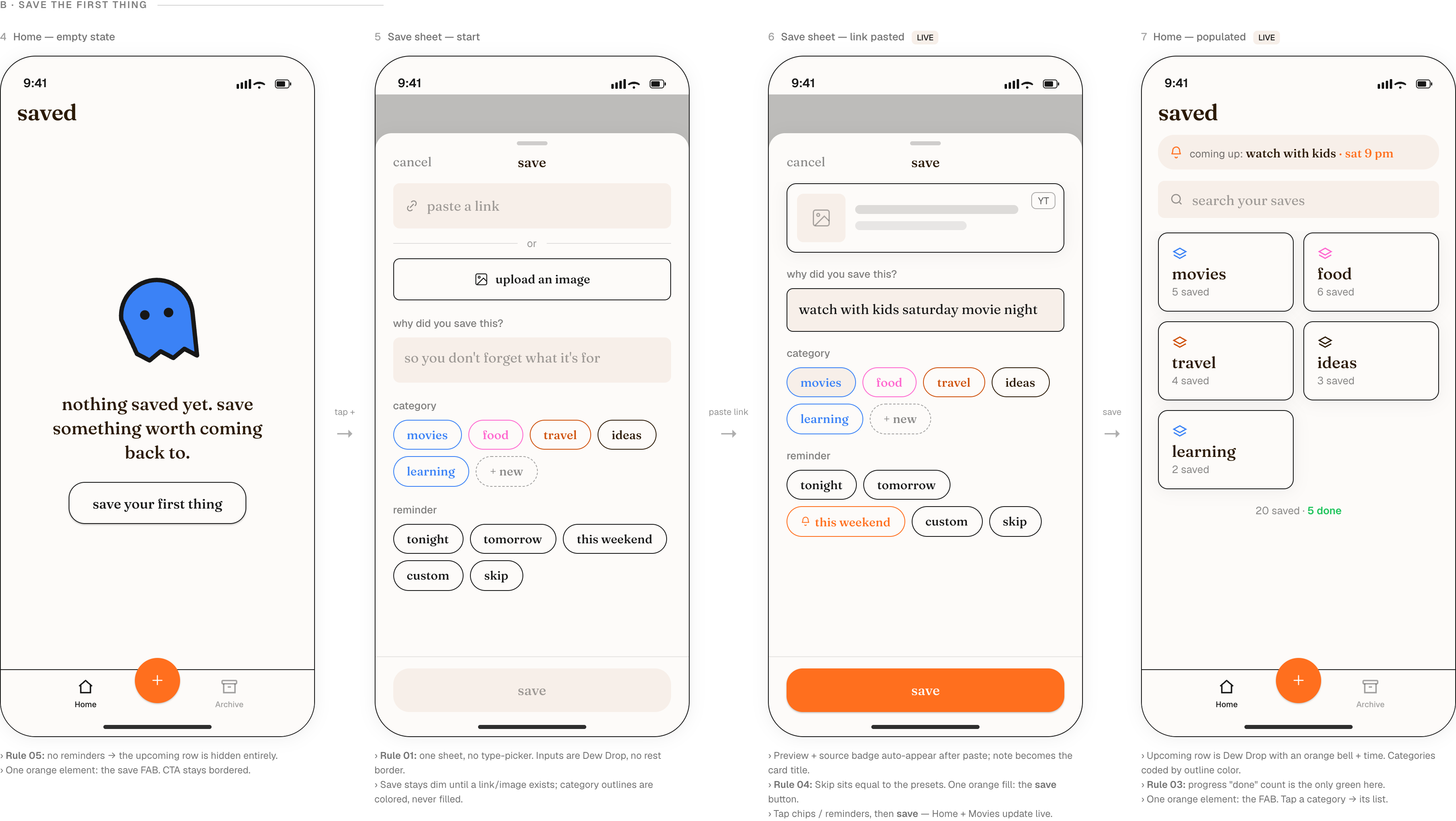
Everything after that followed from it. Home shows what’s due instead of everything you own, because I drew folders first and then realised I’d drawn the same graveyard I was trying to fix. Cards lead with your own words instead of a thumbnail, so the whole thing reads like a notebook page rather than another Pinterest grid. And “not anymore” became a real button, because some saving is reflex and letting go of something should feel as good as finishing it.
Where it landed
Smaller than what I started with. Cutting reference saving took out about half the features I’d planned, and what’s left all points the same way: bring back one thing, then get out of the way.
Somewhere in the middle of that it stopped being a bookmark manager. It’s closer to a to-do list for the things you actually want to enjoy.
I’m building it myself. Figma to design, Claude Design for the screens, Claude Code to turn them into React Native. It goes to the App Store soon.